Every action on every matter, in one place
Matter-linked tasks, key dates and supervisor visibility. The to-do list lives on the file, not in someone's notebook.
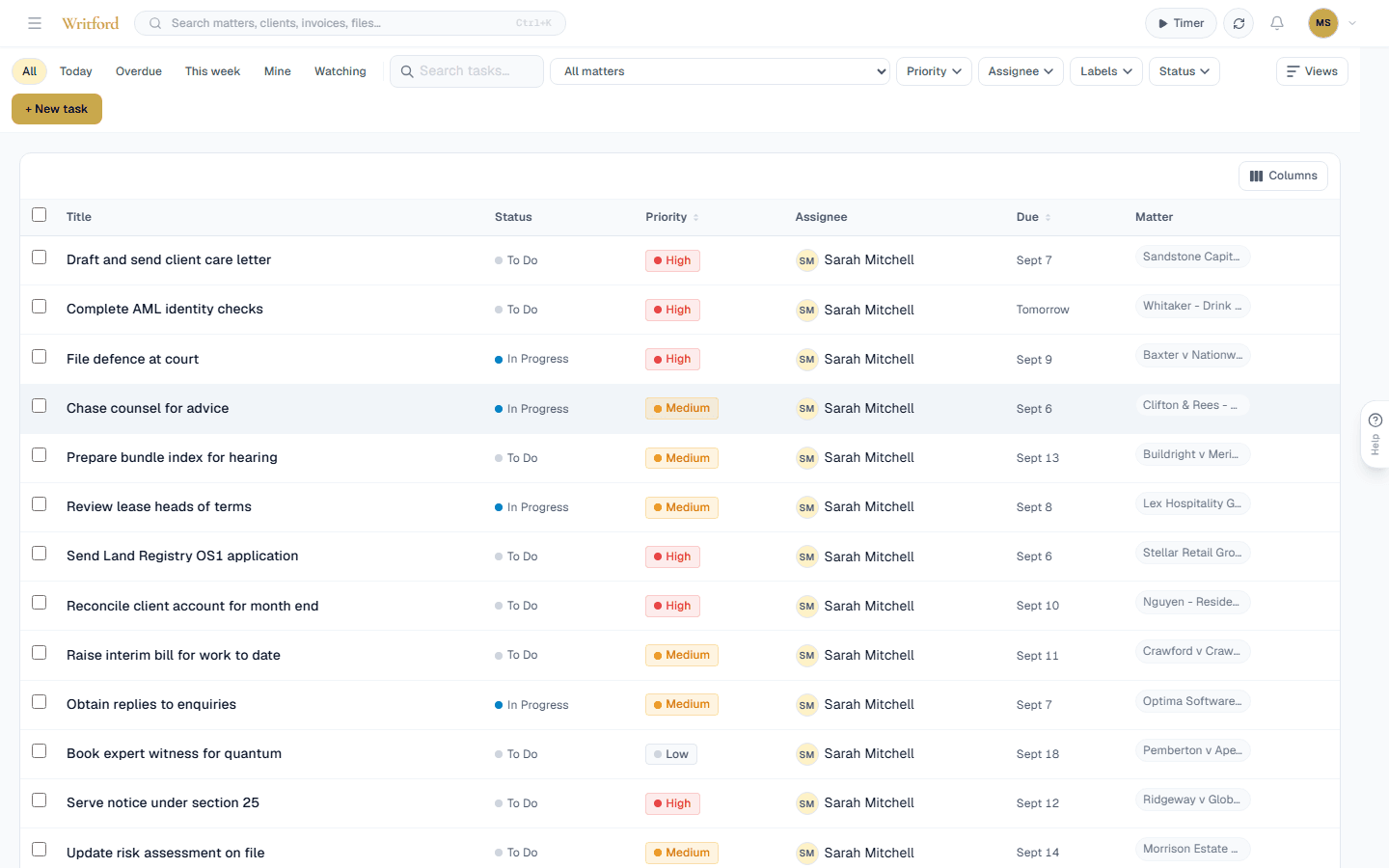
Tasks in Writford: matter-linked actions on a Kanban board with priority chips and assignee filters.
How do law firms track deadlines and tasks?
By keeping them on the matter rather than in a personal to-do list. Writford's legal task management software holds tasks and key dates on the matter they belong to, covering court dates, limitation periods and statutory deadlines, with a firm-wide board so a supervisor can see what is moving and what is stuck.
- Why not use a separate task app?
- Because a deadline in a separate app is not on the file. When somebody is off or leaves, a task on the matter survives and a task in a personal app does not.
- Does it handle limitation periods?
- Yes. Limitation periods, court dates and statutory deadlines are recorded as key dates on the matter.
- Can a supervisor see what is stuck?
- Yes. A firm-wide board shows what is moving and what is not, by matter and by fee earner.
- Can tasks be assigned?
- Yes, to any member of the firm, with a due date and a priority.
- Is there a kanban view?
- Yes, alongside a list view, so the same tasks can be worked either way.
Tasks live on the matter, not in a separate app
Every task is attached to a specific matter, with the responsible solicitor, due date and current state visible on the matter file. There is no second tool to keep in sync, no missed action because the to-do list lived in someone's notebook. Open the matter and you see what is left to do.
- Create tasks from inside the matter in one click
- Assign to any user in the firm with one selector
- Status tracking: open, in progress, blocked, done
- Per-matter task list visible on the matter dashboard
- Firm-wide task view filterable by assignee and status
Court dates, limitation periods, and statutory deadlines
Litigation runs on hard deadlines: limitation, CPR-compliant service, ACAS early conciliation expiry, ET1 filing. Writford keeps every key date on the matter, surfaces it on the dashboard, and reminds the responsible solicitor in good time, so the whole firm can see that each one is in hand rather than trusting it to memory.
- Key date field for every matter (filing, hearing, completion, expiry)
- Dashboard surfaces upcoming deadlines across the firm
- Per-user view of what is due this week and next
- Calendar export for Outlook and Google Calendar
- Audit trail of when a deadline was set and changed
Supervisors see what is moving and what is stuck
For partners and supervising solicitors, the firm-wide task view answers two questions quickly: what is overdue, and where is everyone's bandwidth. Stalled matters surface before a client phones to ask for an update. No more building a status report by walking round desks.
- Firm-wide overdue task list with assignee breakdown
- Per-solicitor workload view for supervision conversations
- Filter by matter, area of law, or status
- Notifications when a task is assigned or completed
- Activity log per matter, per user